
3D volumetric surveillance. It sees, understands, reacts.
XTRA Guard rebuilds the site in three dimensions, recognises people and vehicles even in the dark and turns PTZ cameras to whoever enters a monitored zone. The same console follows the installation from site survey to acceptance test.
A small prototype, to use right here.
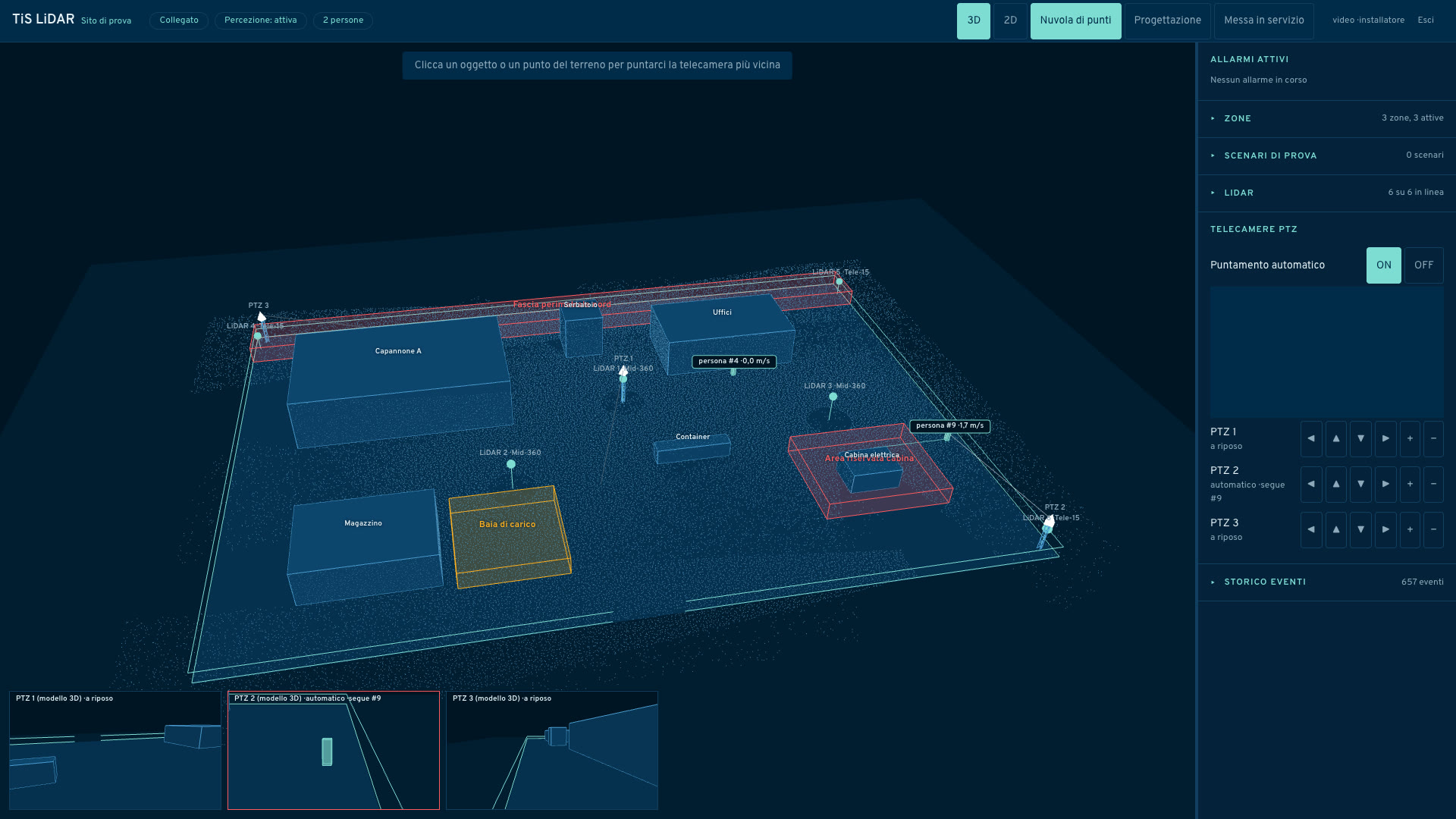
The interactive prototype needs WebGL, which this browser does not offer: here is the console as it is.
From point to reaction, in real time.
Point cloud
360° sensors for close range and long-range ones for perimeters scan the site hundreds of thousands of times per second, day and night.
What has changed
The system learns the empty site and from then on only looks at what moves or was not there before.
Objects and tracks
Points become objects, each with its own track, speed and heading, even as it moves from one sensor to another.
Person, car or truck
Each object is classified from its shape and motion, and operators validate events to improve the system over time.
Rules and alarms
Each zone has its level, the classes that trigger it and a dwell time. Alarms are computed on the server, even with the console closed.
The camera turns
The nearest PTZ turns to the target and follows it: the operator sees at once who came in, and can take control with a click.
One console, from site survey to acceptance test.
After the first installation we rebuilt the platform from scratch, with ROS 2, Python and a web interface in place of Unity. Today the same console follows the installation through its whole life: coverage design, commissioning, surveillance and acceptance testing.
Coverage design
Move LiDARs and cameras on the site model and the map instantly shows which areas are seen by at least one sensor, by two or more, and which are left uncovered.
Commissioning
Sensor poses, assisted LiDAR calibration, buildings and fences traced on the aerial photo, guided calibration and automatic checks of the PTZ cameras.
PTZ tracking
When an alarm fires, the nearest camera turns to the target and follows it. ONVIF control, tested on a real PTZ camera.
Zones, alarms and pre-alarms
Zones drawn with the mouse, with classes, dwell time and level. Alarms are computed on the server and fire even with the console closed.
Acceptance test and report
Walk through each zone and the system records where the person was seen and which alarms fired, down to the report to sign.
Secure by design
Three roles (operator, administrator, installer), HTTPS, authenticated and encrypted ROS 2 traffic, versioned configuration that can be rolled back.
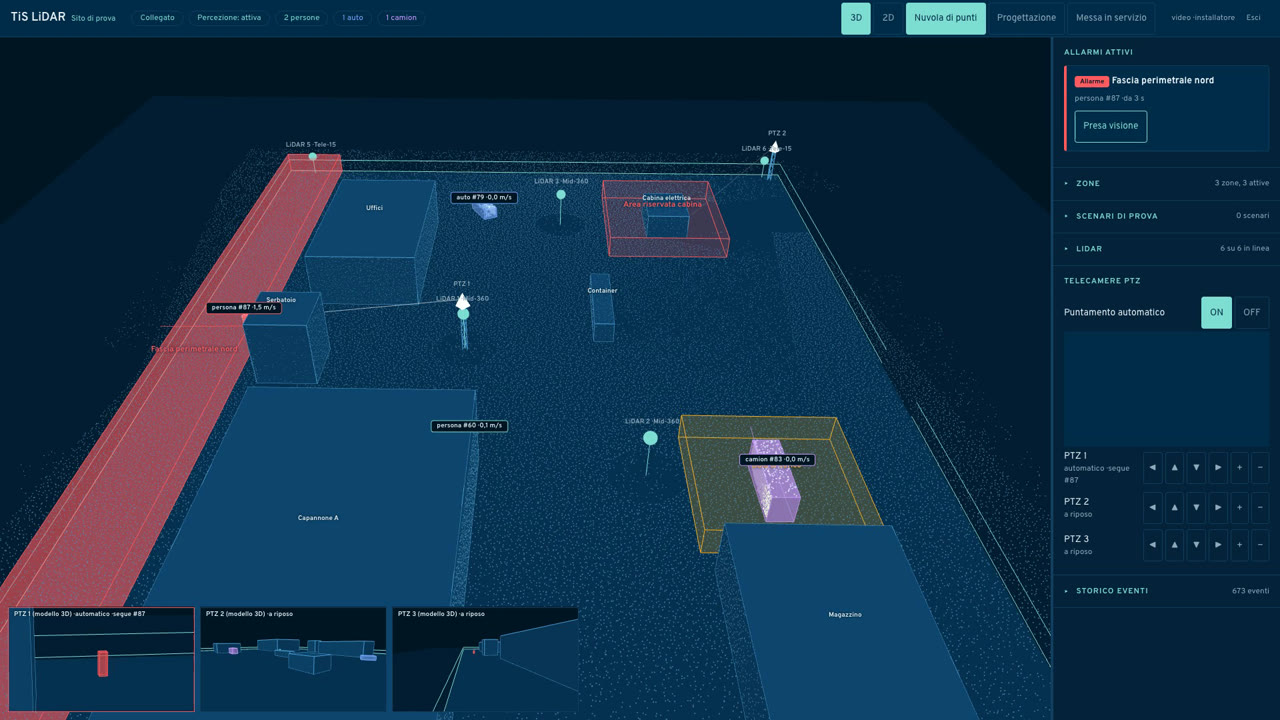
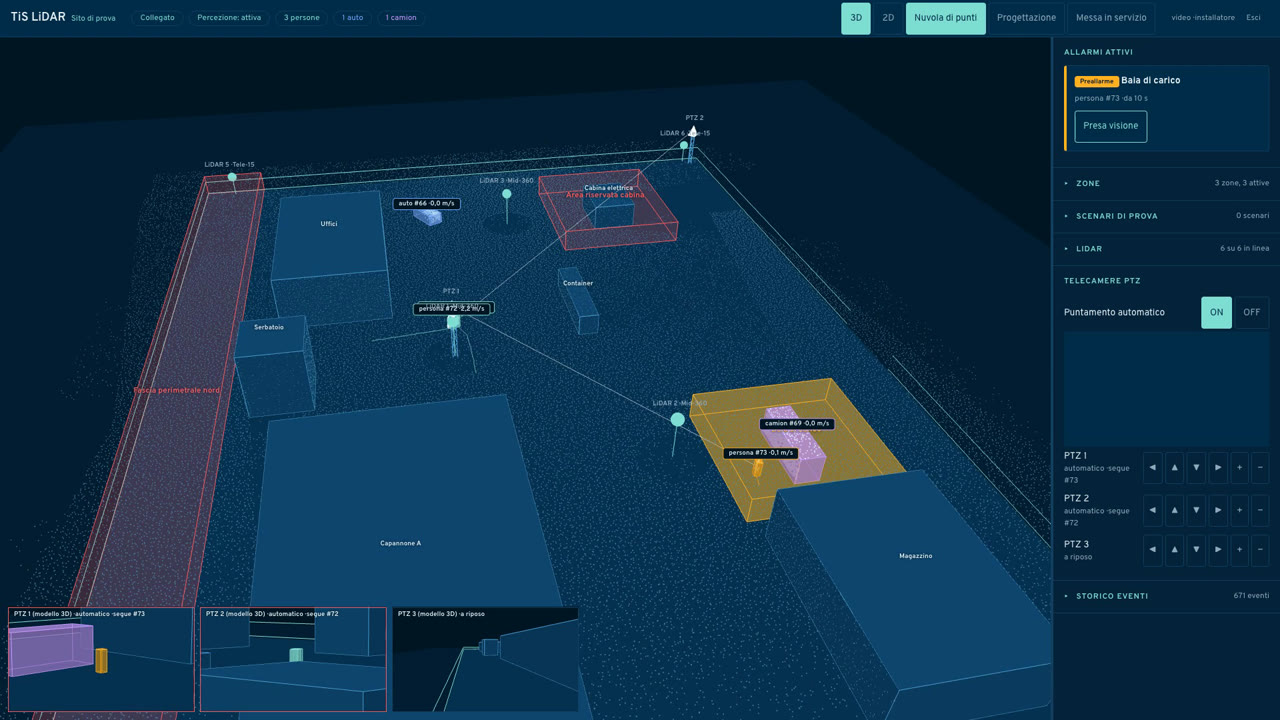
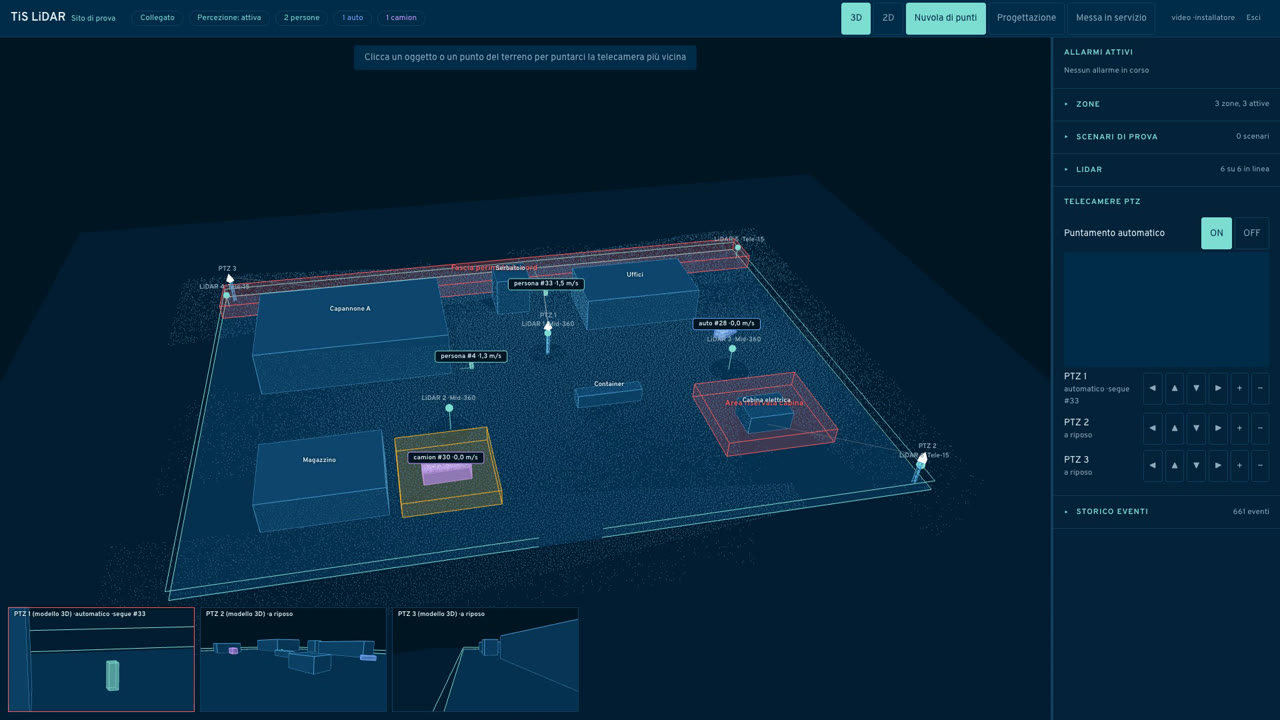
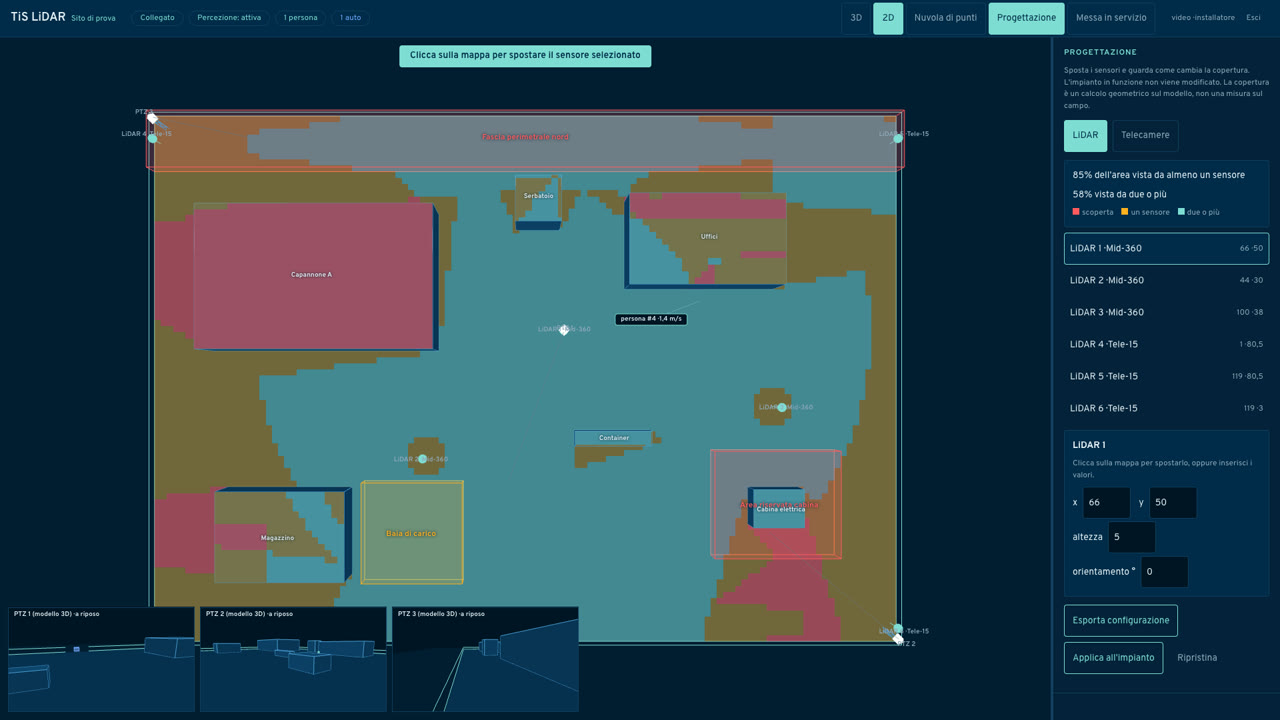
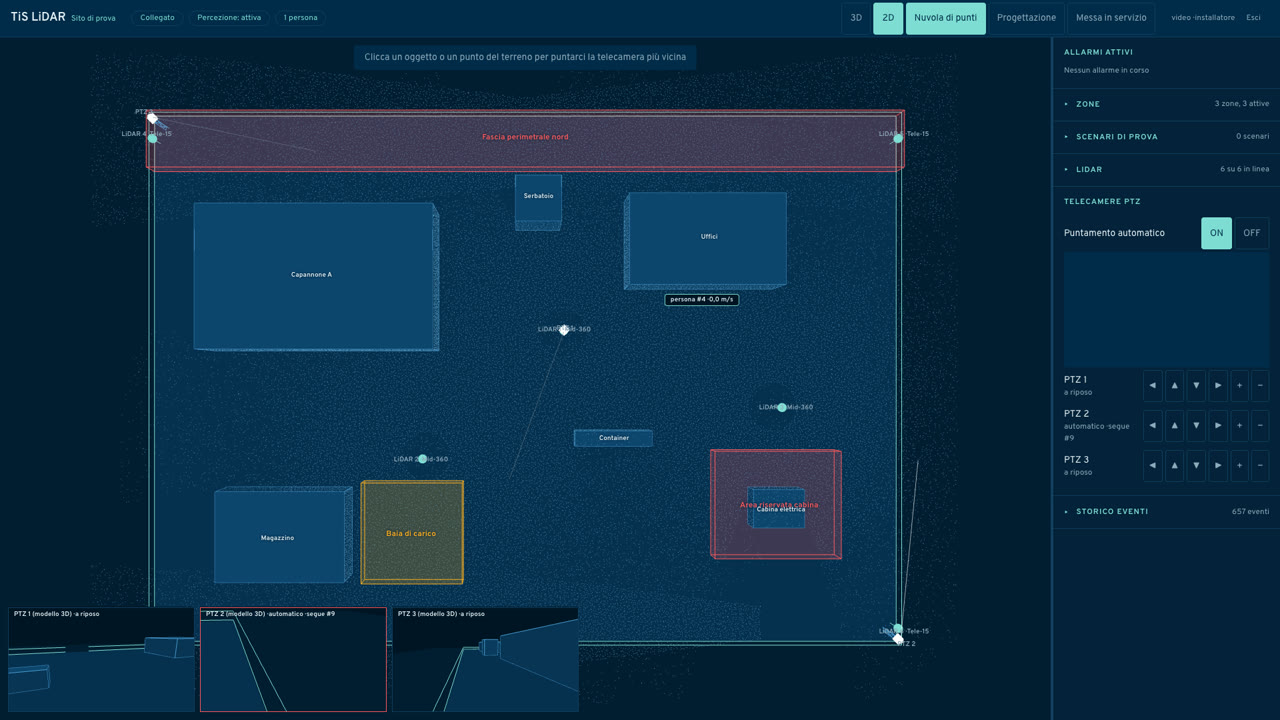
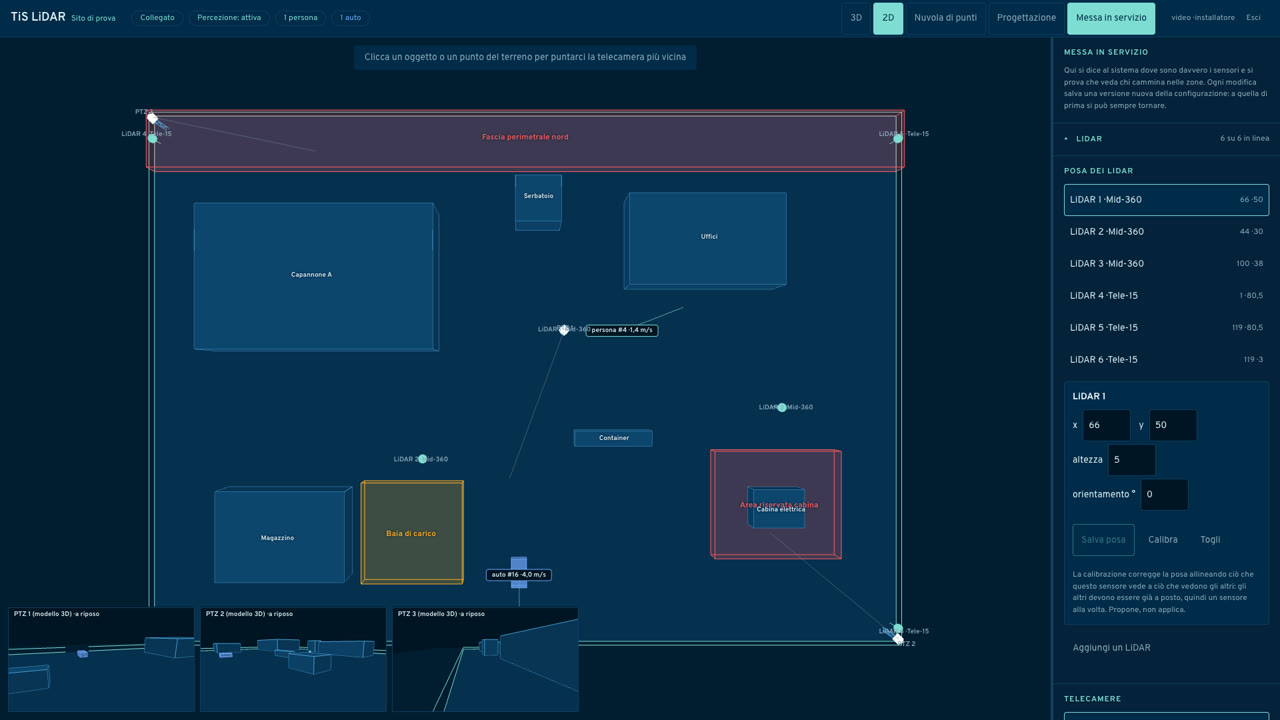
Console images and video from a demonstration site, with simulated sensors.